11digitalmind@gmail.com

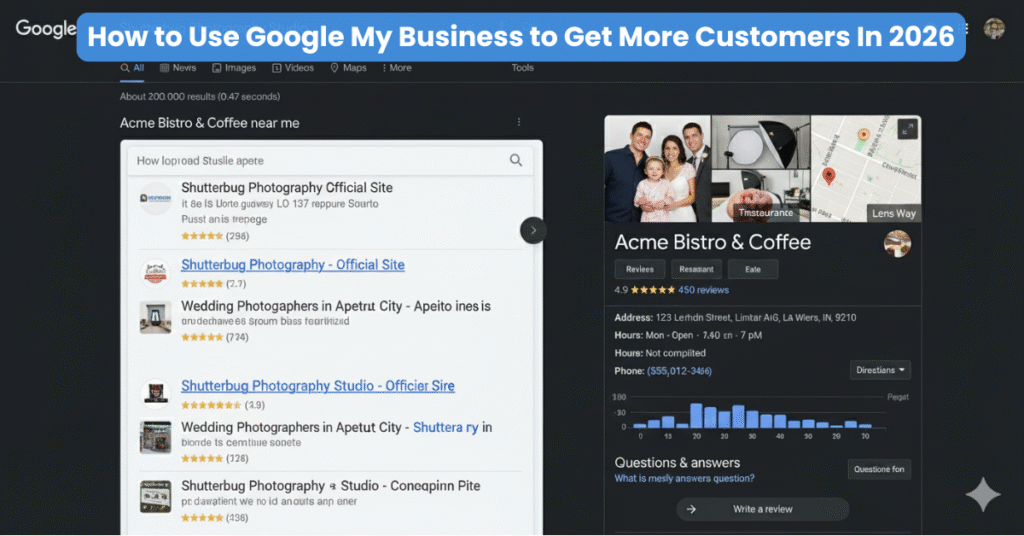
If your business is local, service-based, or even an online brand with a physical presence, Google My Business is actually one of the most powerful tools to attract customers for free.
By 2026, over 78% of customers will rely on Google Search and Google Maps before choosing a local business. This means if your profile is optimized, you can get more calls, more leads, and more store visits without spending a single rupee on ads.
Throughout this guide, you’re going to get an actionable overview of using Google My Business to gain more customers, optimize your business listing, improve your organic Google Maps ranking, and further grow your business.
What Is Google My Business?
What Is Google My Business?
Google My Business, also known as GMB, is a free tool that lets your business show up on Google Search, Google Maps, and in the Local 3-Pack-the top 3 results Google shows for “near me” searches.
Your GMB profile includes important details like:
- Business name
- Address
- Phone number
- Hours
- Reviews
- Photos
- Services
- Website link
When you optimize it correctly, this profile becomes a lead-generation machine for your business.
Why Google My Business Is Important for Getting Customers
1. Higher Visibility in “Near Me” Searches
People searching for “best dentist near me” or “digital marketing agency near me” are ready to buy. GMB helps your business show up in these high-converting search results.
2. More Calls and Website Visits
Your profile shows a call button, directions, and website link, making it easy for customers to contact you instantly.
3. Appears on Google Maps
If you are not on Maps, you’re losing customers to the competition.
4. Builds Trust With Reviews
More than any advertisement, customers trust a business that has positive reviews.
How to Set Up Your Google My Business Profile (Step-by-Step)
Follow these steps to create a strong foundation:
Step 1: Create or Claim Your Listing
Go to the Google Business Profile Manager and search for your business. If it exists, claim it, otherwise create a new listing.
Step 2: Add Accurate NAP Details
NAP = Name, Address, Phone Number
Make sure these details match your website and social media pages.
Step 3: Select the Right Business Category
This impacts your ranking. Choose a category that accurately describes your business.
Example:
- Digital Marketing Agency
- Real Estate Agent
- Beauty Salon
- Dentist
Step 4: Add Service Areas (If You Don’t Have a Store)
Select the cities(location) you serve
Step 5: Verify Your Business
Verification helps Google trust your profile and show it to more customers.
How to Use Google My Business to Get More Customers In 2026 By Optimizing It.
Once your profile goes live, the key to higher ranking and getting customers is optimization.
1. Use Keywords in Your GMB Business Name (But Don’t Spam)
Example:
❌ “Rahul Salon and Best Hair Spa in Delhi” (spam)
✔ “Rahul Salon – Hair & Skin Clinic” (optimized + natural)
2. Write a Strong SEO-Optimized Business Description
Use relevant keywords and explain what makes you unique.
Example:
We provide expert digital marketing services including SEO, Google Ads, social media management, and website design for small businesses.
3. Add All Your Services and Products
Most businesses overlook this, but adding services improves your ranking and helps Google understand what you are offering.
4. Upload High-Quality Photos & Videos
Google says businesses with photos get:
- 42% more direction requests
- 35% more website clicks
You can upload:
- Interior photos
- Team photos
- Before/after photos
- Product photos
- Short brand videos
The more consistently you update, the more visibility Google rewards you with.
5. Add Business Attributes
Attributes like:
- Women-led
- Online appointments
- Wheelchair accessible
- Free consultation
These make your listing stand out.
6. Turn On Messaging
Enable chat so customers can contact you instantly.
Reply fast — Google boosts businesses with high response rates.

Google Reviews: The Secret Strategy-How To Use Google My Business To Get More Customers In 2026
Reviews are the #1 ranking factor for GMB in 2025.
How to Get More Reviews
- Ask customers right after service
- Use WhatsApp review links
- Create a QR code for offline stores
- Offer a small incentive (discount/offer) — without paying for reviews
Why Reviews Matter
- Builds trust
- Helps Google rank you higher
- Influences buying decisions
- Shows your business is active
Reply to Every Review
Google rewards businesses that respond regularly.
Use Google Posts to Get More Customers
Google Posts work like mini social media posts inside your GMB profile.
Use them to promote:
- Offers
- New products
- Events
- Updates
- Blog articles
- Announcements
Use a strong CTA like:
- Call Now
- Book Appointment
- Learn More
- Order Online
You should Post 2–3 times a week it will help your listing stay active and rank better.
Monitor Your Performance with GMB Insights
GMB Insights gives powerful data about how customers find your business:
- Total searches
- Direct vs discovery searches
- Calls
- Website visits
- Direction requests
- Popular times
- Customer actions
Use this data to improve your strategy and identify what’s working.
Advanced Tips: How to Use Google My Business to Get More Customers In 2026
✔ Optimize for “Near Me” Keywords
Add phrases like “digital marketing services in Delhi” naturally in your description and services.
✔ Add UTM Parameters to Your Website Link
This helps track website traffic coming from GMB in Google Analytics.
✔ Update Business Hours Regularly
Google boosts businesses with fresh updates.
✔ Add FAQs in the Q&A Section
Answer common customer questions to improve conversions.
✔ Geotag Photos (Optional)
Geotagged images help Google confirm your location authenticity.
Common GMB Mistakes That Hurt Your Ranking
Avoid these:
- Using wrong categories
- Not updating information
- No photos or poor-quality images
- Ignoring reviews
- Duplicate listings
- Incorrect phone number or address
Final Thoughts: GMB Can Transform Your Business in 2026
Google My Business is one of the most powerful free tools to attract more customers. With the right optimization, regular updates, quality reviews, and strong branding, your business can rank higher, get more calls, and convert more customers consistently.
Grow Your Business with Expert GMB Optimization — Powered by 11digitalmind
Struggling to get more calls, leads, and customers from Google?
Your Google My Business listing might be the reason.
At 11Digital Mind, we help businesses rank higher on Google Maps, boost visibility in “near me” searches, and convert profile views into real customers.
Our experts handle everything — from GMB setup to advanced optimization, reviews, local SEO, and monthly management.
What You Get with Our GMB Optimization Service:
- Complete Google Business Profile setup & cleanup
- Category & keyword optimization
- High-quality photos, posts & content updates
- Review generation & response strategy
- Ranking boost for Google Maps & Local Pack
- Monthly reporting + performance insights
Ready to Attract More Customers?
Let’s make your GMB profile your biggest lead-generation machine.
👉 Contact 11Digital Mind Today — and Get a Free GMB Audit!